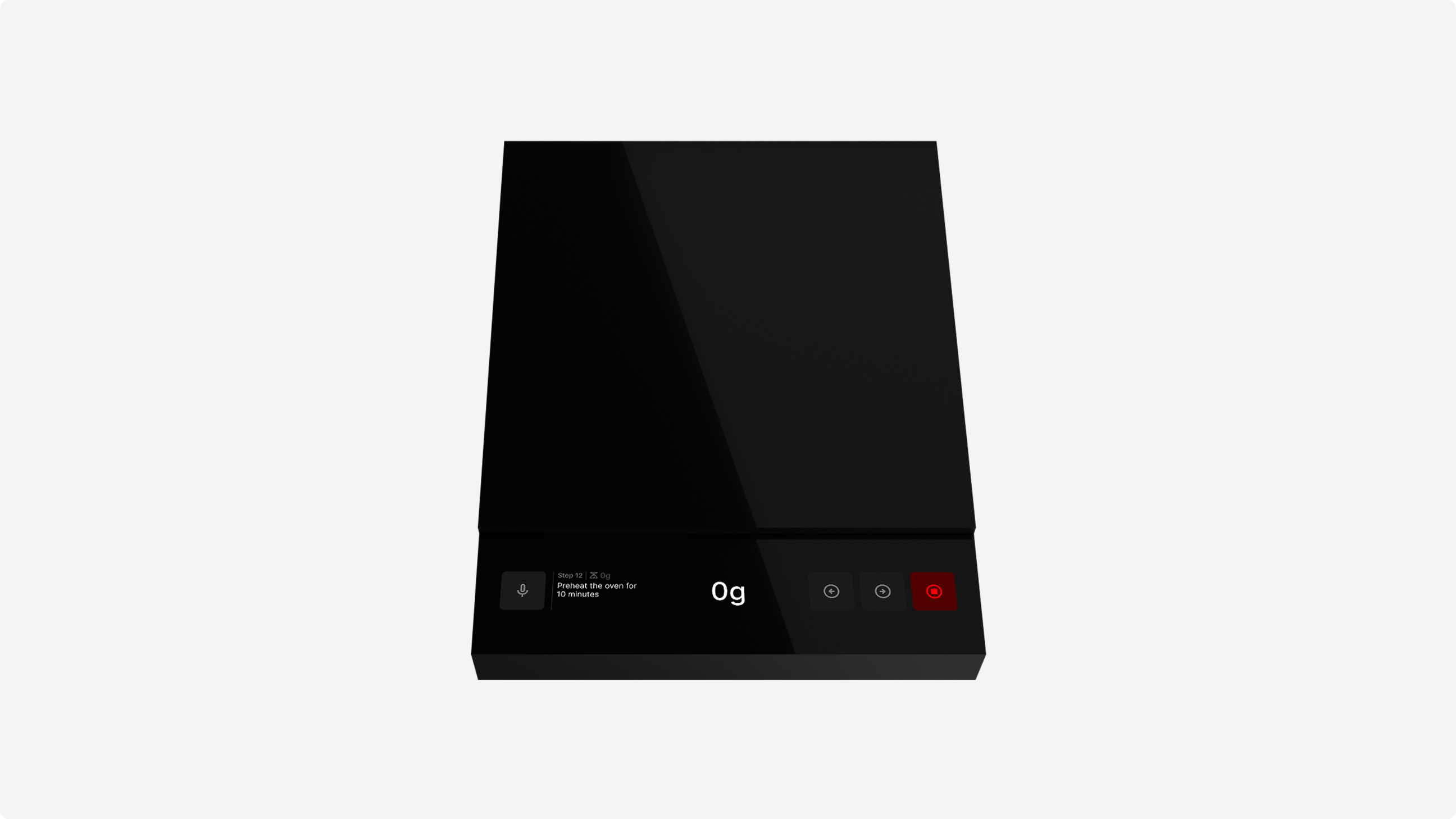
Reimagining the Kitchen Scale Through Intuitive Recipe Recording
Scale is a reimagined kitchen scale with a built-in digital
interface, designed to record and replay recipes in real-time.
Rather than writing recipes down or typing them out, users simply
speak their cooking instructions aloud and Scale transcribes each
step through voice dictation as they cook. Once recorded, those
recipes can be replayed as a guided, step-by-step experience
directly on the scale itself.
By capturing the
ingredients, quantities, timing, and method exactly as they were
performed, Scale makes recipes more accurate and repeatable. This
means families can preserve recipes and pass cooking knowledge
between generations, turning a kitchen scale into a tool for
sharing, not just measuring.
User testing confirmed that voice dictation is the most effective way to capture recipes while the user is actively cooking. Participants found that speaking their instructions aloud allowed them to record more authentic information more intuitively than they could with a keyboard. By focusing on voice as the primary input, Scale ensures that the final recipe is a detailed and accurate reflection of the user's movements and intentions.
Once a recipe has been recorded, it can be replayed step by step directly on the scale. Each step appears in sequence, showing the user exactly what to do and when. Whether it's a parent walking a child through a family dish or someone revisiting their own notes weeks later, the recipe plays back as a guided cooking experience that can be followed precisely.
The interface uses contextual signifiers to guide users through
the experience. These prompts are designed to anticipate what a
user is trying to do and show them exactly how to achieve it.
Instead of relying on manual discovery, the system identifies the
user's intent and introduces the specific interaction they need at
that moment.
For example, when a user records a recipe
step that mentions a unit of time, Scale recognizes this and
prompts them to hold the screen to navigate to the timer. By
identifying the goal directly from the spoken instruction, the
system surfaces the relevant feature automatically. This ensures
the right tools are always available exactly when they are needed.
Touch gestures are mirrored across the weighing and timer screens
to create a consistent and intuitive interface. When an ingredient
is placed on the scale, a signifier prompts the user to tap to
tare and later suggests a double tap to reset the weight. This
same logic applies to the timer where a single tap starts or
pauses the countdown and a double tap resets the duration.
By
repeating these patterns, the system ensures that once a user
learns to weigh an ingredient, they already understand how to
manage the timer.
Swiping vertically on the weighing screen changes the unit of
measurement, while the same gesture on the timer screen adjusts
the duration. By using a consistent directional control for these
adjustments, the interface creates a shared language across both
modes.
Both screens use implicit visual cues to
communicate that swiping is an available interaction. On the
weighing screen, vertical dot indicators signal multiple modes
that can be scrolled through. On the timer screen, the numerals
play a spin animation as they settle into position, signaling that
they can be swiped. While each signifier is unique to its context,
they both achieve the same goal of making the swipe interaction
discoverable.
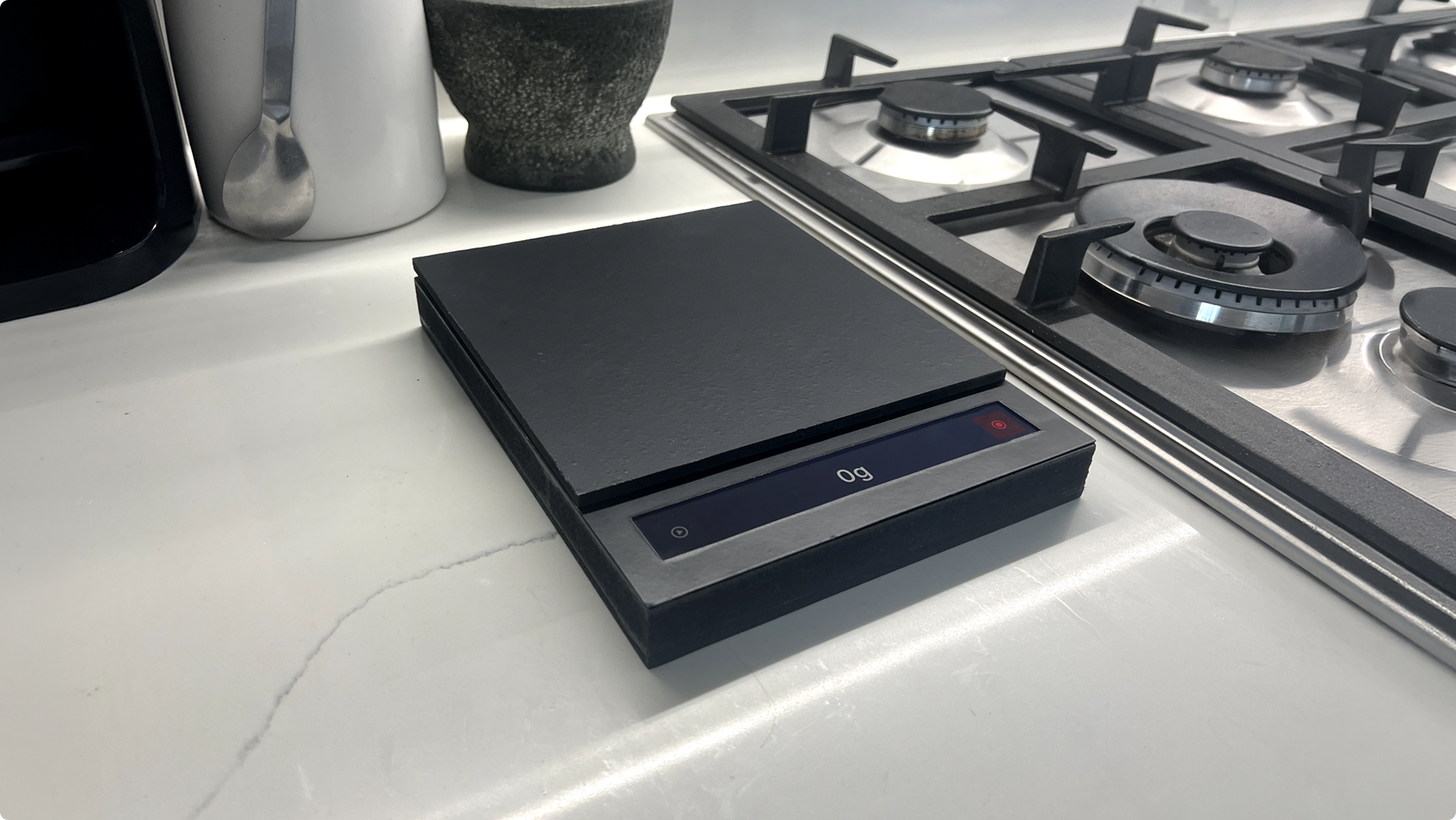
To understand how users would interact with the scale in a real-world context, a working physical prototype was produced. The prototype houses the electronics and a smartphone running the interface inside an MDF casing, allowing the full experience of weighing, recording, and playback to be tested as one integrated device on a kitchen countertop.